

ClosetCleaner2 is a new and improved take on the original concept of ClosetCleaner - an audit tool to see what gear is hanging around in your wardrobes and doesn't need to be there! Rather than loading your GearSwap Lua files, this version parses through your files and inventory to create a report file with the following info:
Unused Gear
This is gear that is in your inventory but not utilized by any of your GearSwap Lua files.
Gear In Use
Gear that is being utilized by a GearSwap and a list of which files.
Missing Gear
Gear listed in a GearSwap that is not present in your inventory - keep in mind that this does not currently check mog slips.
Possible Misspellings
These are pieces of gear found in a Lua file that do not match any existing piece of gear by cross referencing the Windower resource files. It will also make its best guess as to what item you probably meant.
The most basic usage is simply //cc report which will give you a report based on the character you are logged in on and all GearSwap Lua files for all jobs it can find. There are several other features for specifying lists of jobs for specific characters, adding custom file patterns, and specifying what inventories to search - all of which can be found in the README.
ClosetCleaner2 | Out Of The Closet Edition

ClosetCleaner2 | Out of the Closet Edition



Awesome !


I never got OG CC to work, got this one to spit out a very easy to read report on one of my chars in 2 minutes. A++
got it to work after a few minutes of messing with patterns.
I guess I use a slightly weird pattern in gearswap files of:
{name}/{job}.lua
which isn't one of the defaults
I guess I use a slightly weird pattern in gearswap files of:
{name}/{job}.lua
which isn't one of the defaults


I love this, it's incredibly useful and easy to use. One thing I noticed is that 'ranged' should be added to the luaParser in addition to 'range'. Once I added this, it picked up my ranged weapons/instruments correctly.
Would it be possible to report the number of times a specific item is found, and list this number in Section 2 of the report (and ideally let us sort by that number)? I love the idea of being able to see which pieces are only used in one or two job luas, but being able to quickly sort by which items are frequently used (even if it's one job lua) or rarely used could really help with inventory tidying. It's probably outside scope, but also getting some sort of indication of which items are jobs-specific could help too. Like, a piece of Empy gear is obviously only present in one job lua, but it could easily be a vital piece for that job. Being able to separate this from non-JSE pieces that are only present in one job lua could be helpful.
Would it be possible to report the number of times a specific item is found, and list this number in Section 2 of the report (and ideally let us sort by that number)? I love the idea of being able to see which pieces are only used in one or two job luas, but being able to quickly sort by which items are frequently used (even if it's one job lua) or rarely used could really help with inventory tidying. It's probably outside scope, but also getting some sort of indication of which items are jobs-specific could help too. Like, a piece of Empy gear is obviously only present in one job lua, but it could easily be a vital piece for that job. Being able to separate this from non-JSE pieces that are only present in one job lua could be helpful.
[+]


Great job!
small note, if Windower is on a samba share, the path starts with a single /, but needs a double //. Since lua doesn't seem to have a standard way to determine if a path is samba, maybe add a fallback in case of file not found to attempt //? Or I may be the only one playing like that!
small note, if Windower is on a samba share, the path starts with a single /, but needs a double //. Since lua doesn't seem to have a standard way to determine if a path is samba, maybe add a fallback in case of file not found to attempt //? Or I may be the only one playing like that!
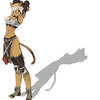
I use a lot of table/variable references like shown below then i will do thinks like neck=DynaNeck, will it catch things like that? Also lot of set_combine()
Thanks.
EDIT:
Some more examples for RNG ammo and weapons
Thanks.
EDIT:
Some more examples for RNG ammo and weapons
As long as the file that has the gear definitions is referenced from the main file with the include function, such as include('job_gear_file.lua') the parser will recursively pull in that file when it checks for gear. Set_Combine() is also handled because ClosetCleaner2 just checks "Is that gear being used at all?" instead of trying to physically load the Lua.
Bahamut.Navius said: »
I love this, it's incredibly useful and easy to use. One thing I noticed is that 'ranged' should be added to the luaParser in addition to 'range'. Once I added this, it picked up my ranged weapons/instruments correctly.
Thank you for catching the range/ranged bit, I've pushed up a fix for that.
Bahamut.Navius said: »
Would it be possible to report the number of times a specific item is found, and list this number in Section 2 of the report (and ideally let us sort by that number)? I love the idea of being able to see which pieces are only used in one or two job luas, but being able to quickly sort by which items are frequently used (even if it's one job lua) or rarely used could really help with inventory tidying.
I've had a few folks ask for different ways to sort/filter the data in a few ways, so I've added a new ReportMode setting that allows to switch from exporting the report in a text format to a CSV instead. Excel, Google Sheets, Open Office Calc, etc should be able to do some more advanced sorting/filtering.
Bahamut.Navius said: »
It's probably outside scope, but also getting some sort of indication of which items are jobs-specific could help too. Like, a piece of Empy gear is obviously only present in one job lua, but it could easily be a vital piece for that job. Being able to separate this from non-JSE pieces that are only present in one job lua could be helpful.
I'll have to think on this one, I do think that it would be helpful to have an indicator of what jobs gear is viable for, and I'm trying trying to keep the report clean-ish looking. Maybe I'll add it as a CSV only option.
[+]


I am noticing if I define gear outside my sets such as:
Then use the variable name in my sets, it's not detected as used in a set and is listed as unused in the report.
Such as:
Code
    --Erilaz
    EMPY = {}
    EMPY.Head		=	"Erilaz Galea +3"
    EMPY.Body		=	"Erilaz Surcoat +3"
    EMPY.Hands		=	"Erilaz Gauntlets +3"
    EMPY.Legs		=	"Erilaz Leg Guards +3"
    EMPY.Feet		=	"Erilaz Greaves +3"
Then use the variable name in my sets, it's not detected as used in a set and is listed as unused in the report.
Such as:
Code
	sets.midcast['Refresh'] = set_combine(sets.midcast['Enhancing Magic'],{
		head    = EMPY.Head,
		waist   = "Gishdubar Sash",
	})
Code
Section 1: UNUSED GEAR (in inventory, not in any lua file)   [200 items]
 -------------------------------+-------------------------
  Name                           | Location
  -------------------------------+-------------------------
  Eri. Leg Guards +3             | Wardrobe 5
  Erilaz Galea +3                | Wardrobe 5
  Erilaz Gauntlets +3            | Wardrobe 5
  Erilaz Greaves +3              | Wardrobe 5
  Erilaz Surcoat +3              | Wardrobe 5
[+]
neonrage said: »
I am noticing if I define gear outside my sets such as:
Then use the variable name in my sets, it's not detected as used in a set and is listed as unused in the report.
Such as:
Code
    --Erilaz
    EMPY = {}
    EMPY.Head		=	"Erilaz Galea +3"
    EMPY.Body		=	"Erilaz Surcoat +3"
    EMPY.Hands		=	"Erilaz Gauntlets +3"
    EMPY.Legs		=	"Erilaz Leg Guards +3"
    EMPY.Feet		=	"Erilaz Greaves +3"
Then use the variable name in my sets, it's not detected as used in a set and is listed as unused in the report.
Such as:
Code
	sets.midcast['Refresh'] = set_combine(sets.midcast['Enhancing Magic'],{
		head    = EMPY.Head,
		waist   = "Gishdubar Sash",
	})
Code
Section 1: UNUSED GEAR (in inventory, not in any lua file)   [200 items]
 -------------------------------+-------------------------
  Name                           | Location
  -------------------------------+-------------------------
  Eri. Leg Guards +3             | Wardrobe 5
  Erilaz Galea +3                | Wardrobe 5
  Erilaz Gauntlets +3            | Wardrobe 5
  Erilaz Greaves +3              | Wardrobe 5
  Erilaz Surcoat +3              | Wardrobe 5
Thank you for the very helpful examples, I've pushed up an update that better looks at assigned variables, if it sees a head=EMPY.Head it will assume EMPY.Head is a piece of gear and find the associated string to parse it.
I've also added the list of jobs that a piece of gear can be used by to the CSV version of the report.


Hello,
Cool addon, thank you for sharing it.
I had an issue getting it to read my lua files, even after setting the path with 'cc addpattern {name}/{job}_gear.lua'.
I think it was due to the sidecar pattern I use (based on Mote's - but my own hodge bodge version) where it's like this: WAR.lua > includes a lib file > lib loads a sidecar WAR_gear.lua
I got the report working by switching the order of extra_patterns and BASE_FILE_PATTERNS so that the right path was returned for me:
Not sure if that's right or wrong but my report output looks better now.
Might just be a me problem, due to my lib, but I thought worth raising because it could be the same for anyone using *_gear.lua sidecars with Mote libs.
Cool addon, thank you for sharing it.
I had an issue getting it to read my lua files, even after setting the path with 'cc addpattern {name}/{job}_gear.lua'.
I think it was due to the sidecar pattern I use (based on Mote's - but my own hodge bodge version) where it's like this: WAR.lua > includes a lib file > lib loads a sidecar WAR_gear.lua
I got the report working by switching the order of extra_patterns and BASE_FILE_PATTERNS so that the right path was returned for me:
Code
closetCleaner2.lua:L438:local function resolve_job_lua(gs_path, job, char_name, extra_patterns)
...
    -- Make user supplied patterns take precedence
    local all_patterns = {}
    for _, p in ipairs(extra_patterns or {}) do
        all_patterns[#all_patterns + 1] = p
    end
    for _, p in ipairs(BASE_FILE_PATTERNS) do
        all_patterns[#all_patterns + 1] = p
    end
...
Not sure if that's right or wrong but my report output looks better now.
Might just be a me problem, due to my lib, but I thought worth raising because it could be the same for anyone using *_gear.lua sidecars with Mote libs.

This is phenomenal. So easy to use.
What's the setting to hide 'misisng' gear if it's on a slip?
What's the setting to hide 'misisng' gear if it's on a slip?

Could you make it work with Equipsets for Semi-vanila players?
All FFXI content and images © 2002-2026 SQUARE ENIX CO., LTD. FINAL
FANTASY is a registered trademark of Square Enix Co., Ltd.